
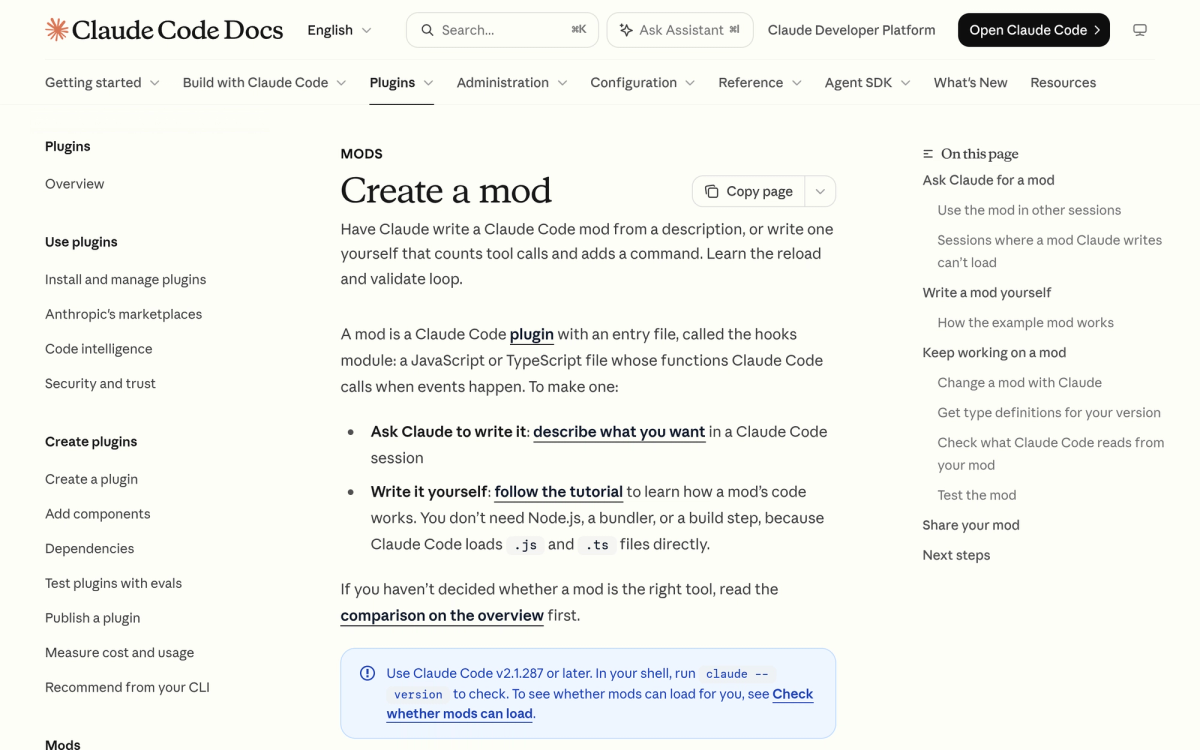
Last updated: October 12, 2026. Anthropic recently expanded Claude Code into a fully customizable developer platform with the introduction of Claude Code Mods (popularly searched by developers as claude mods). Built on an elegant TypeScript event-hook system, these mods let you change how Claude Code acts, inspect its tool calls, customize its terminal UI, and enforce strict security boundaries. Here is everything you need to know about what mods are, how to build them, and the top community mods available right now.
What Are Claude Code Mods?
In Claude Code, a mod is a plugin whose entry point is a TypeScript or JavaScript hooks module. Rather than configuring static JSON prompts, a mod registers function hooks that intercept Claude Code's internal lifecycle events. Whenever Claude Code wants to call a tool, display an output, ask for permission, or stream a response, it passes control through your registered hooks.
Think of it as Koa or Express middleware for an autonomous AI agent: you can inspect the request, modify parameters before the model sees them, block dangerous commands, or inject custom UI elements directly into the CLI and Desktop app.
How Claude Code Mods Differ from Agent Skills
If you have used Claude's agent skills or MCP tools (browse our Agent Skills directory for examples), you might wonder where mods fit. Skills provide Claude with capabilities it can choose to invoke. Mods, on the other hand, sit directly inside and wrap around the Claude Code engine itself: they intercept tool calls automatically, rewrite prompts before inference, and modify the environment regardless of what prompt you give.
How to Install and Run Claude Code Mods
Installing a mod is as straightforward as adding a plugin in your terminal. You can install verified community plugins or point directly to a local development directory:
- Install via CLI — run
/plugin install <plugin-name>inside any interactive Claude Code session. - Run local development mods — launch Claude Code with
claude --plugin-dir ./my-modto test hot-reloaded hooks live. - Ask Claude to write its own mod — simply tell Claude Code 'build a mod that logs all bash commands to a local audit file', and it writes, tests, and loads the TypeScript module for you.
Top Claude Code Mods to Try in 2026
1. Ponytail Claude Mod (Token Compression & Cost Saver)
One of the fastest-rising community plugins is the Ponytail Claude mod. By filtering repetitive command output and intelligently pruning verbose stack traces before feeding them back into Claude's context, Ponytail reportedly cuts input token consumption by up to 90% during long refactoring sessions. It is an essential install for developers watching API burn.
2. Cloudflare Security Audit Skill & Mod
Following Cloudflare's release of its developer agent tooling, the official security audit skill hooks into tool execution to actively check for hardcoded secrets, dangerous bash flags, and unauthenticated outbound requests before commands execute. If you liked our coverage of Anthropic OSS Scanner, this brings defensive security audits directly into your daily terminal workflow.
3. Native /diff Mod
Even core Claude Code features are now modularized. Anthropic moved the built-in diff viewer into a shipped mod, meaning you can swap in your own custom syntax-highlighted git diff handler or disable it entirely.
How to Create Your First Mod in TypeScript
Creating a mod requires zero build steps or bundlers — Claude Code executes .ts and .js files directly. A minimal mod contains two files:
- .claude-plugin/plugin.json — manifest declaring the plugin name, version, and description.
- hooks/register.ts — exports a default
register(on)function that hooks into events liketool.callorui.render.
Claude Code automatically generates type definitions in .claude-plugin/types/, giving your editor full autocomplete and LSP type-checking for every event, tool argument, and return type.
Security & Enterprise Controls: sec-default
Because mods run with the same privileges as your local user, Anthropic implemented an onion-layer security model. On Team and Enterprise plans, a built-in immutable mod named sec-default loads first. It prevents downstream community mods from overriding permission-denial rules or bypassing sandbox restrictions. Administrators can also supply company-wide allowlists to govern which plugins developers can install.
Frequently Asked Questions
Do Claude Code mods require Node.js or npm to run?
No. Claude Code loads and executes TypeScript and JavaScript hooks modules natively with zero external bundling setup.
Are Claude Code mods sandboxed?
Mods run with the same access as the Claude Code CLI itself. Always inspect mod source code or install verified plugins from trusted developers.
Can a mod modify the terminal user interface?
Yes. Mods can inject interactive UI components, spinners, custom prompts, and buttons into both the CLI terminal and the Claude Code Desktop application.
Related reading: explore our breakdown of Anthropic OSS Scanner for open-source software security, or check out our full Claude guide.
Essential UI Skill: Taste Skill (The Anti-Slop Frontend Framework)
One of the fastest-growing community additions to Claude Code is Taste Skill (tasteskill.dev). While Claude Code writes excellent backend algorithms, default frontend generation often falls into predictable 'AI slop' with repetitive cards and purple gradients.
By installing Taste Skill via /plugin marketplace add Leonxlnx/taste-skill, your Claude Code agent gains strict aesthetic pre-flight guidelines: deliberate typography scale, asymmetric layout variance, GSAP motion curves, and explicit design system mapping (shadcn/ui, Radix, Tailwind).
- Taste Skill Overview & Installation: Complete installation commands, dial configurations, and supported agent platforms.