What is Reverse Engineer Anything (REA)?
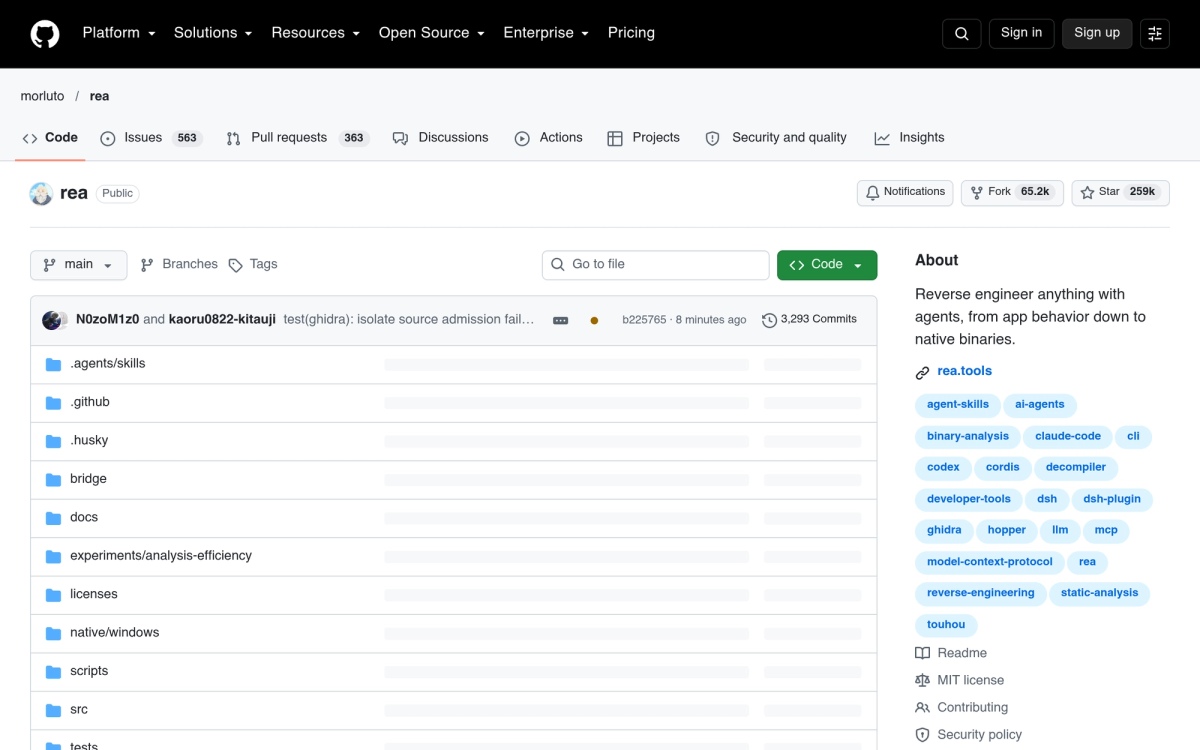
Reverse Engineer Anything (REA, morluto/rea) is an open-source AI reverse-engineering tool and Model Context Protocol (MCP) server that went viral in October 2026, amassing over 230,000 GitHub stars in record time. Developed as an MIT-licensed bridge between AI coding agents (such as Claude Code, Codex, Cursor, and Gemini CLI) and industry-standard reverse-engineering engines, REA enables agents to analyze compiled software without needing original source code.
Rather than relying on LLM hallucinations or guesswork, REA is fundamentally evidence-backed. It drives headless or GUI instances of Ghidra, Hopper, IDA Pro, LLDB, and jadx, extracting exact function offsets, decompiled pseudocode, assembly snippets, and call graphs so your AI agent can verify its findings against real execution binaries.
What Can REA Analyze?
REA supports multi-architecture binary inspection across virtually every software format:
- Native Desktop Binaries — PE (.exe/.dll), ELF (Linux binaries), and Mach-O (macOS binaries).
- Mobile Applications — Android APK/AAB packages via jadx decompilation and iOS IPA binaries.
- Managed Runtimes & Frameworks — .NET assemblies, Electron apps, unpacked JavaScript bundles, and web applications.
- Hardware Firmware & Kernels — Raw microcontroller firmware images and GPU compute shaders.
Key Features & MCP Architecture
- Autonomous Agent Exploration — Ask your coding agent: "Investigate how this proprietary binary handles protocol encryption and draft a clean-room Rust client", and REA will autonomously trace function symbols, extract cryptographic routines, and provide verifiable proof.
- Turnkey MCP Server Setup — Easily integrated into your AI coding assistant with a single terminal command:
npx rea-agents setup. - Evidence-Based Explanations — Every finding references concrete memory offsets, disassembly listings, and cross-references, eliminating hallucinated APIs.
- Ghidra & Hopper Integration — Leverages existing local installations of Ghidra or Hopper with token-authenticated local IPC channels.
Quickstart & Official Installation
⚠️ Critical Security Warning: Due to REA's explosive popularity on GitHub Trending, malicious actors created fake repository mirrors distributing malware disguised as "REA Windows Standalone .exe". Always obtain REA exclusively from the official GitHub repository and npm registry.
Install the official npm package:
# 1. Ensure Node.js 22+ is installed
node -v

# 2. Run the official REA agent setup wizard
npx rea-agents setup

# 3. Verify tool doctor status
npx rea-agents doctor- Official GitHub: github.com/morluto/rea
- Official Web Portal: rea.tools
- Related AI Engineering Tools: Explore top developer companions in FindryAI Developer Tools.